What does it take for two strangers at a trade show to have a meeting worth having? Handing out name badges does not do it. NetWorks is the product built around that question: a standalone B2B tool that lets an organiser run networking at an event, either as an open walk-in session or as pre-matched one-to-one meetings.
I designed it from product flows and UX through to a launched product. This case covers the whole system, and then one part of it that I drove on my own: AI Smart Branding, which lets an organiser make the event look like their company. I built that part as a prototype on my own. I'll mark where my work ends and a colleague's begins, because that line matters.
Three people, one session
A session has three audiences, and each gets a different device.
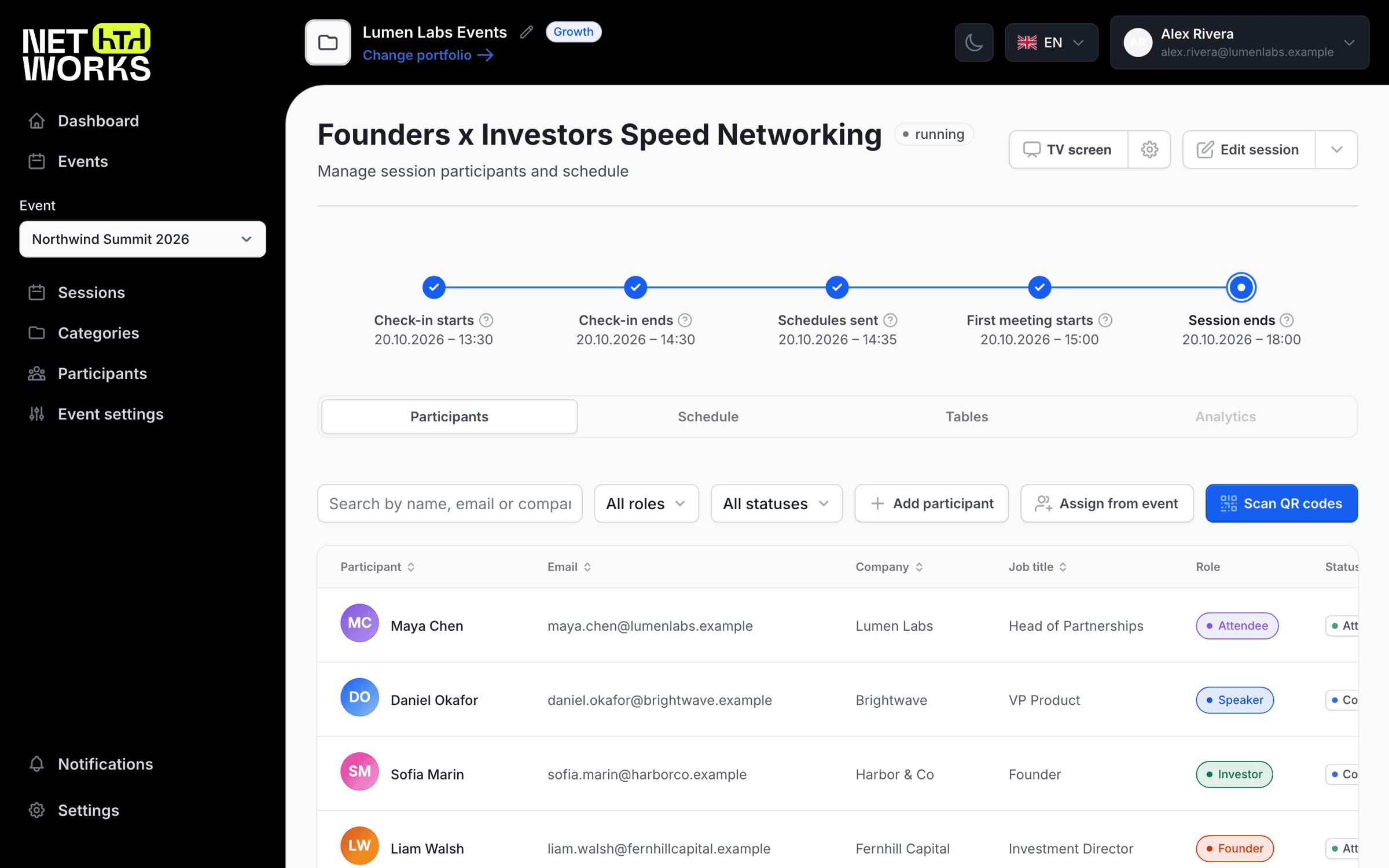
The organiser works in an admin on a laptop. They pick a format, set the meeting length (5 to 60 minutes), the break between rounds (0 to 15), and how many tables the room has. Then they open the session.
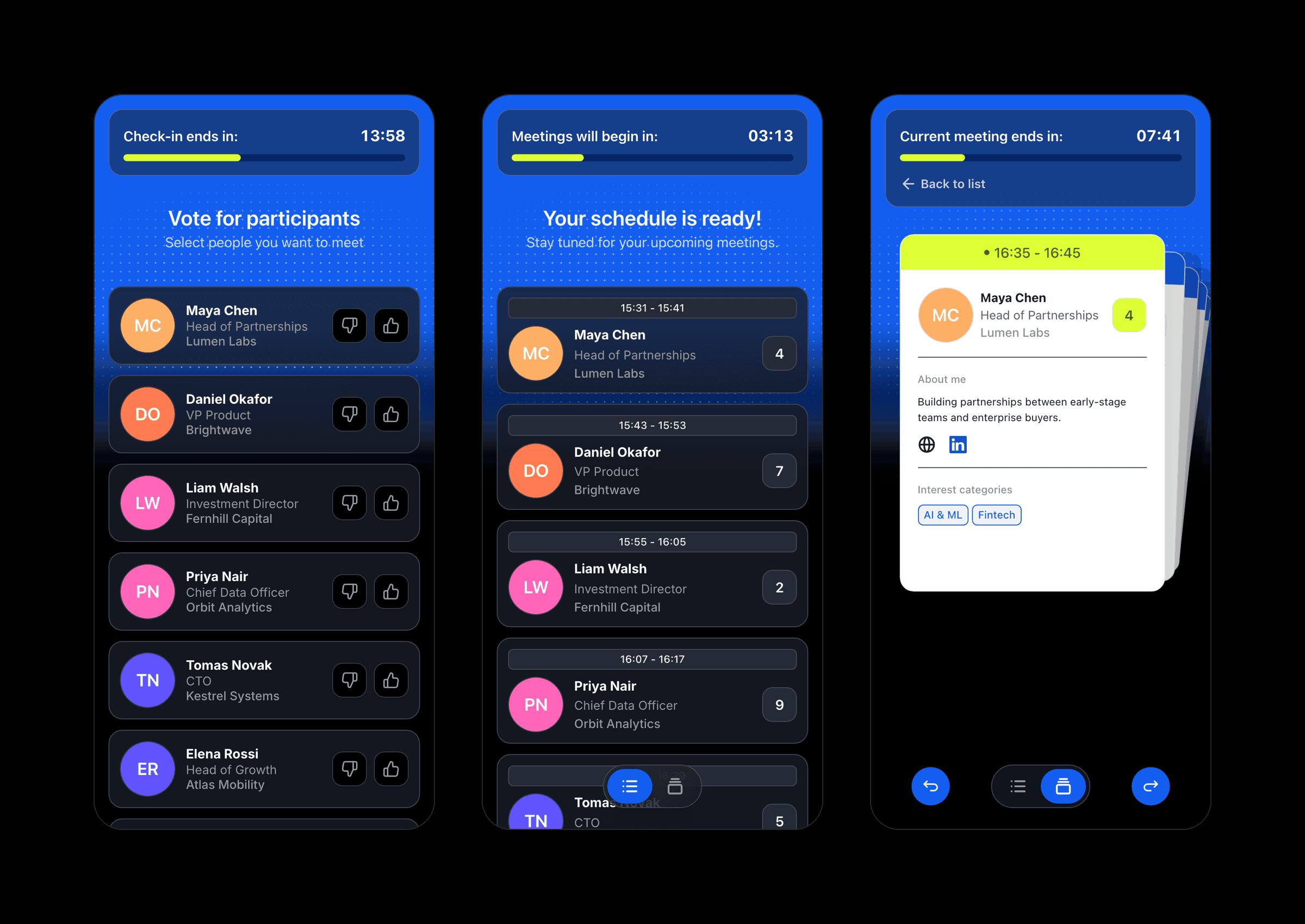
The attendee lives on a phone. They check in, say who they want to meet, and then follow a timer from table to table.
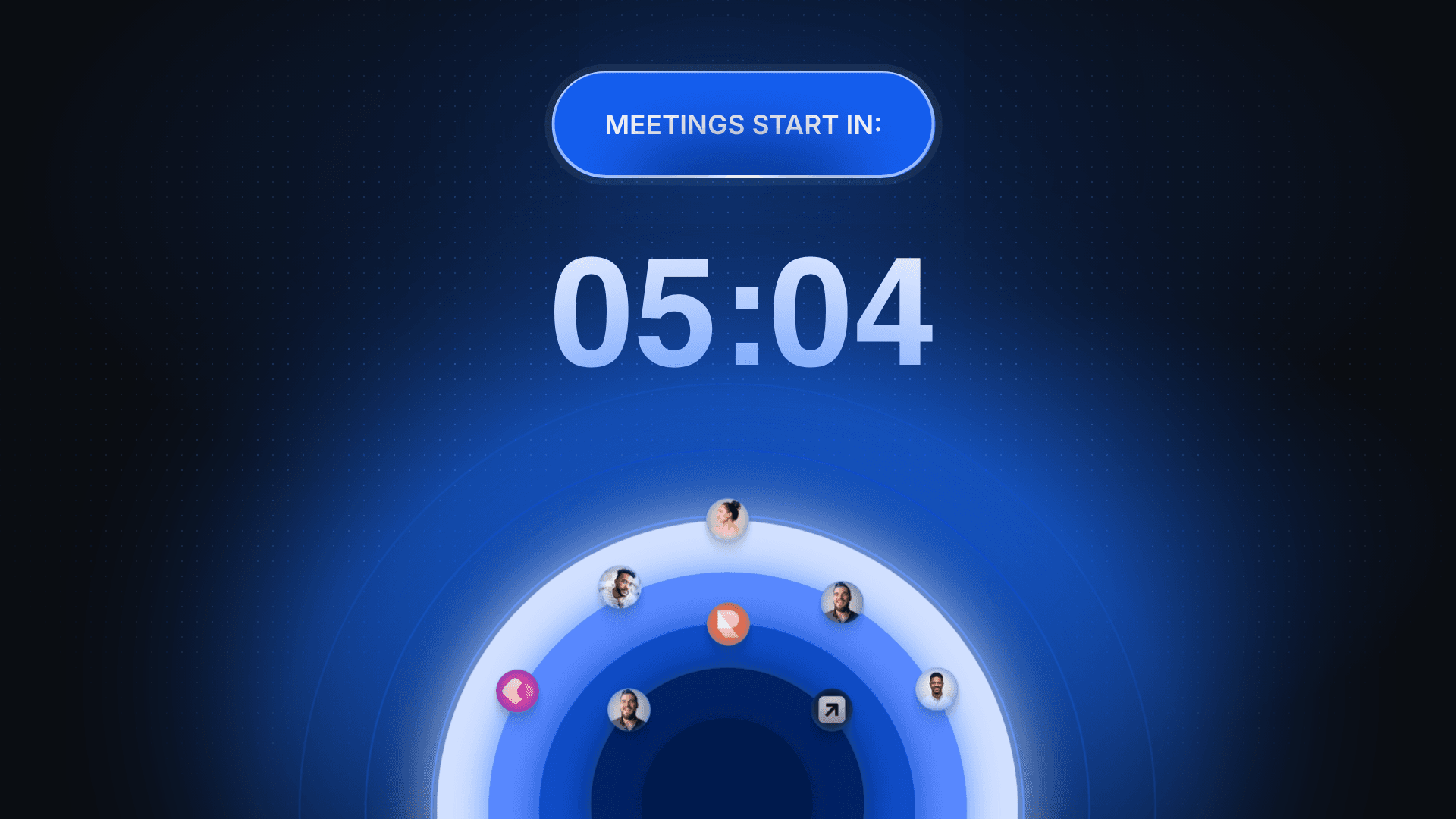
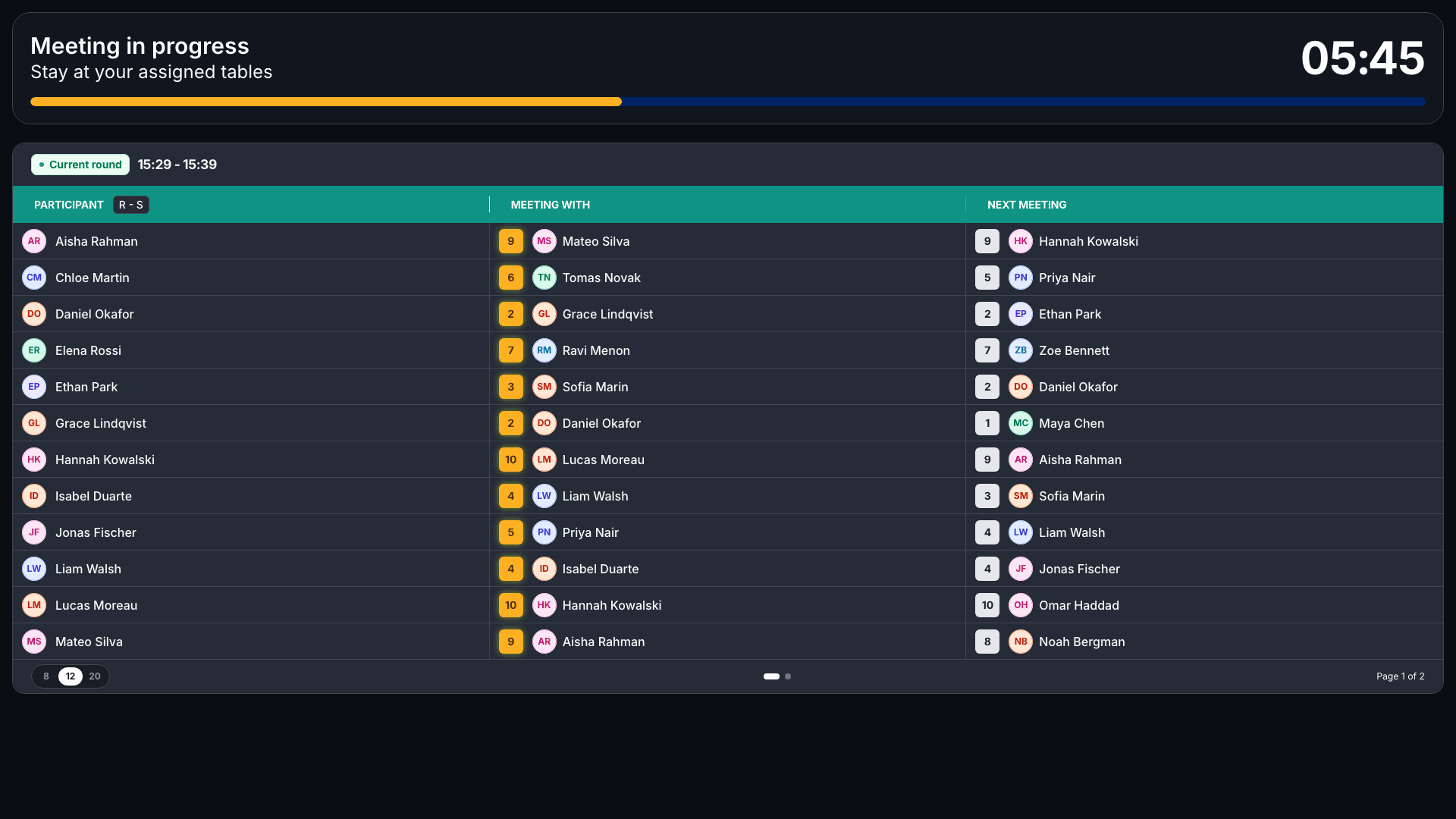
The venue gets a screen. A TV on the wall shows who sits where, so nobody has to look at a phone to find their next table.
The product's concept doc names one north-star metric: qualified meetings per attendee. Voting and the post-meeting rating, both below, are where the product collects signal on it.
A session is a state machine
Walk-in and pre-matched share one table underneath and one lifecycle: draft, open, scheduling, running, completed, archived. Moving from draft to open spends a credit. Only a draft can be deleted. Once people are in, the only way out is to archive.
The two formats differ in what the attendee sees along the way. Pre-matched has five steps: waiting, voting, schedule ready, session live, ended. Walk-in has four: welcome, voting, meetings, ended. In pre-matched, people vote on who they want to meet before the schedule is generated. In walk-in, they check in, by QR code or by hand, and vote during the check-in window.
The check-in scanner turned out to be a design problem of its own. A scan can end six ways: added to the session, already in it, not in this session, session full, not in this event, not found. Each has its own result card and its own vibration pattern, so someone at the door can tell what happened without reading. There is a two-second cooldown between scans, and the card clears itself after five seconds (three for a code that was not found).
The attendee's phone
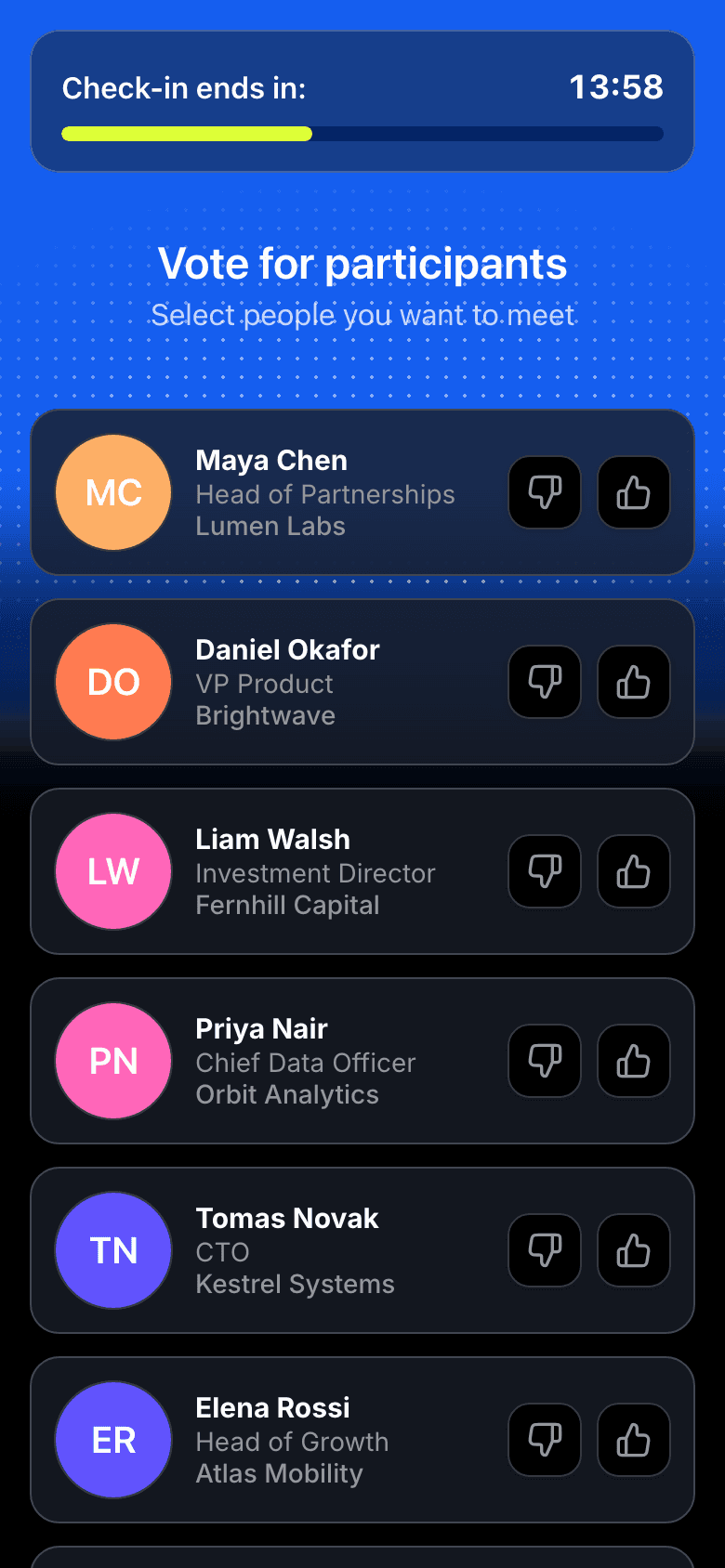
Voting looks like the simplest screen in the product and was the one most reduced. Each person gets a reaction: relevant or not relevant. The first spec asked for swipe cards with skip and undo. What shipped is a plain choice per person.
Those reactions carry the most weight in matching, 60% of the formula. If nobody has voted, every pair scores a neutral 0.5, so the product still works with no signal. It just stops being smart.
After each meeting the attendee rates it, one to five stars with up to 300 characters. There is a "meeting didn't take place" option that clears the rating. And the session results stay locked until every meeting is rated, with a card on the dashboard saying so. I can't say whether that lock raised completion. I'd want to measure it before defending it.
The venue screen
The TV has three states: a welcome with a countdown and floating avatars, the active round, and an end screen with confetti. It has no header, no footer and no chrome. Moving from welcome to active takes 1.2 seconds, and from active to the end 0.8.
In my prototype I redesigned the active round as cards, not a table of rows. Each card holds an avatar, a name and the opponent, with the table number as the loudest thing on it. An alphabet rail runs down the side, and the organiser chooses how many people fit on a page.
One thing did not survive. In that prototype the TV showed the next round's schedule during a break. The shipped TV spec dropped the break state altogether. I won't claim a break screen that does not exist.
AI Smart Branding
By default a session looks like NetWorks. An organiser running an event under their own brand wants it to look like theirs, on the phone and on the wall. That is white-labelling, and I came up with a way to do it.
The idea: paste your website's address, and AI scans it and pulls out your colours and fonts. No design brief, no hex codes to type.
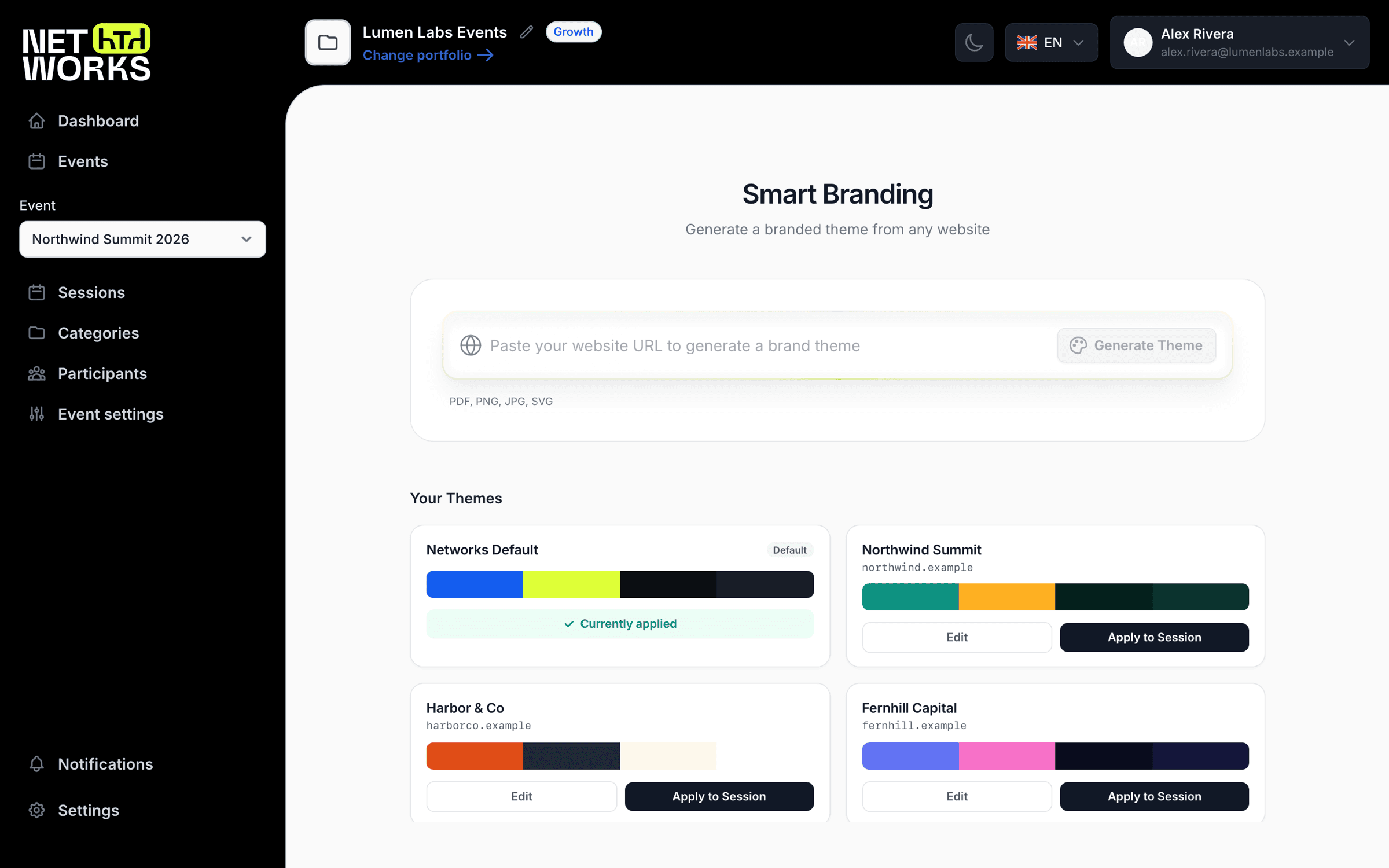
I drove it myself, from the first sketch to a working prototype. That took a little over seven weeks and 158 commits.
The first version looked bad
I started on 22 March. The first prompt asked Claude for nine things from an uploaded brand file: primary, secondary, accent, neutral, background, card, a border and two fonts. It told the model that the background must be very dark. That is not a scan, it is a guess with good manners. Brands with two colours came back with one, and text ended up on backgrounds it could not be read on.
So I stopped looking at the prompt and looked at the interface. The product had about
two hundred hardcoded colours and fonts. Before anything could be themed, they all
had to become variables. That was the real first day of work, and the origin of a
token system of about sixty --nw-* variables.
Wrong colours, one site at a time
The scanner went through three bodies. First a screenshot API and a vision model. Then a real browser that opens several pages, dismisses the cookie banner and reads the CSS. Then a layer on top that asks whether what the page looks like agrees with what the CSS says.
Each step came from a specific miss.
- One-hue palettes. Brands with two colours came back as one. I rewrote the prompt to demand different hues for primary and secondary.
- The invisible yellow. A competitor's bright yellow lived in a CMS's inline styles, so the CSS pass never saw it. I added a comparison between the screenshot's palette and the CSS using perceptual colour distance (CIE76 deltaE). Colours that were on screen but not in the code got flagged.
- A model that ignored hints. Claude was told which colours were found and still chose its own. The prompt changed from a suggestion to a mandatory brand palette.
- Nearest named colour. Later, when vision became the primary source, the model
rounded real brand colours to the nearest named web colour: DodgerBlue for a blue,
Gold for a yellow, 12 to 20 deltaE off. The fix was grounding. Vision proposes a
colour, and the closest colour that actually exists on the page wins. I tuned the
threshold from 10 to 20 after testing. One site's blue came back as
#1E7CE8and snapped to the real#006ae1. - Logo versus button. At first the dark navigation bar could win the primary slot over the call-to-action button, so in April I made the button win. In May my own company's website still came back as a washed-out theme, with a pale yellow accent and the wrong primary. The cause was an assumption that a logo and its button share a colour. Often they don't. I split the prompt into two patterns, logo equals button and logo differs from button.
The extractor has 39 commits. A scan in the prototype now makes four vision calls and takes roughly thirty seconds. Before the vision calls it took about fifteen, down from thirty to sixty. I spent that time back on accuracy.
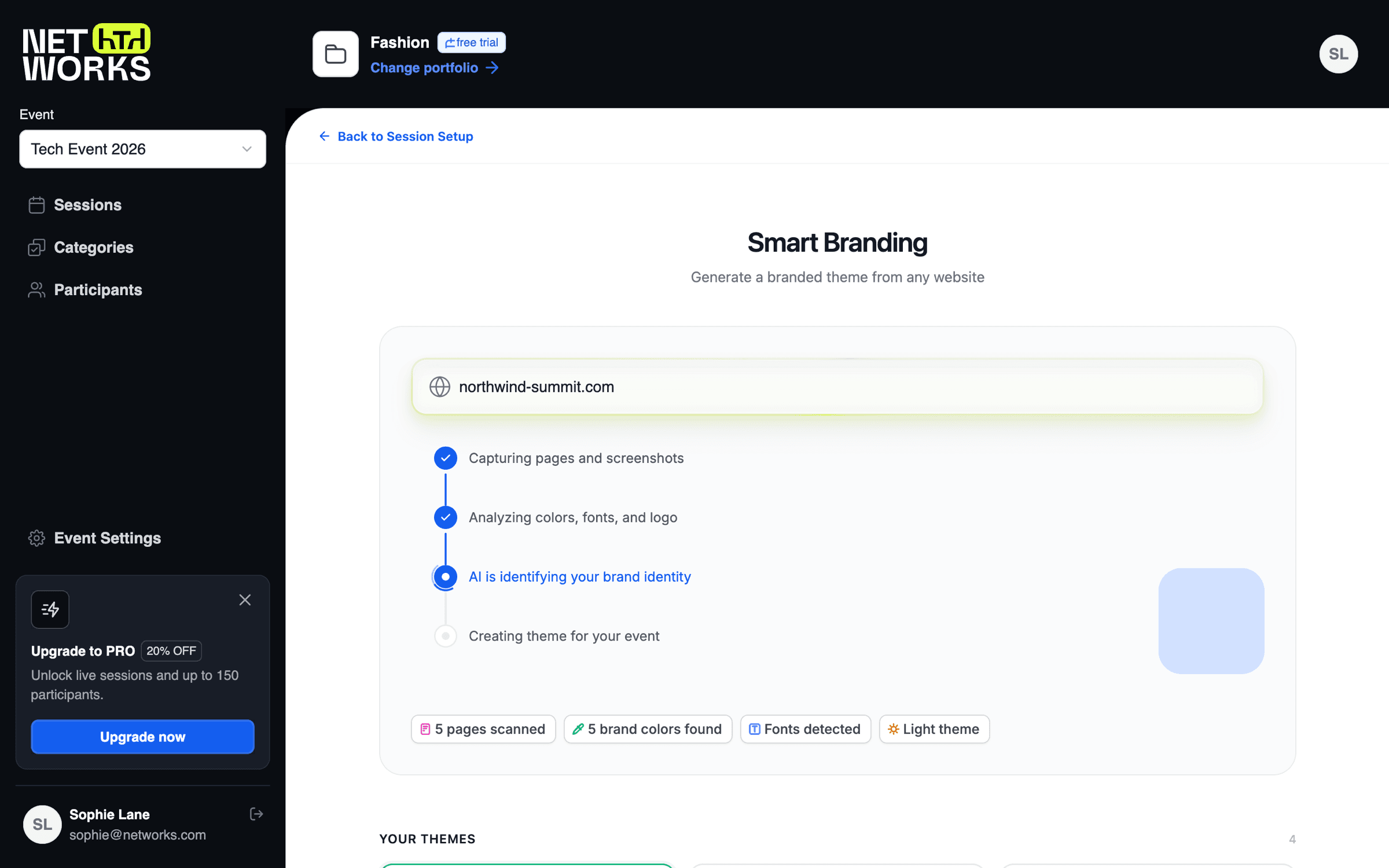
Right colours were not enough
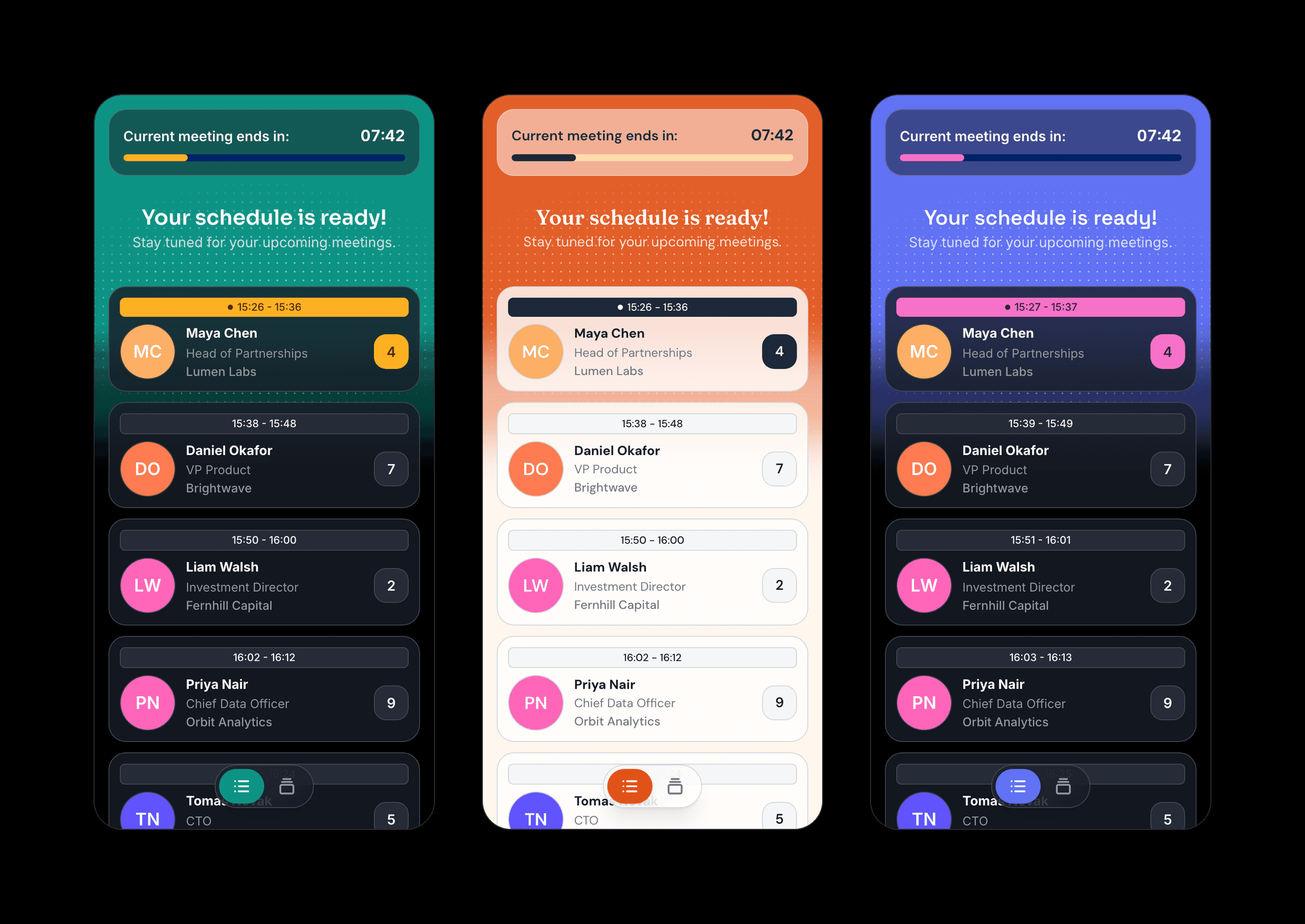
Even with correct colours, themes broke. White text on a pale brand. A timer that vanished when the accent matched the card. A light theme on a TV that was always dark.
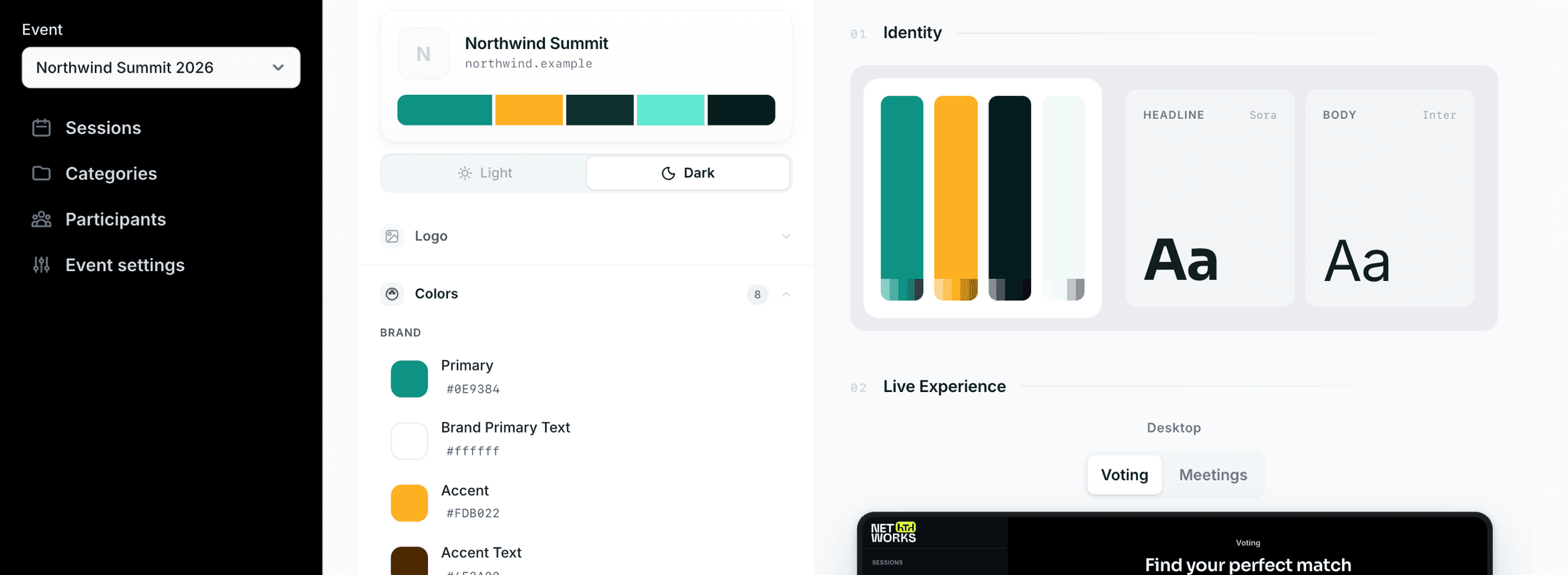
That is why the token system had to exist. I reduced a theme to three inputs: a primary, an accent and a neutral. Everything else is derived. Dark mode gets glass overlays and a glow built from the neutral. Light mode gets flat surfaces with no brand tint. The same brand colours sit in both.
One rule stayed fixed. Brand colours are sacred. Contrast never changes a company's primary or accent. Only the text on top of them, and the surfaces around them, adjust. If a real palette fails contrast somewhere, the interface should show that, not quietly rewrite the brand.
I audited all eleven attendee screens for it. Some of it was a dead end: I swapped hardcoded white text for theme variables on the TV, then reverted it, because the TV's background is always dark.
Four variations, then one
The scan produced four variations of each theme. I built the first version wrong, which I caught the same day: I put each variation in the hub as its own theme, so it read as four different brands. Later that day they became pills inside one theme.
In the product, they did not last. The production version dropped them in May, with the reason that people almost always picked the first and the others were derived rather than designed. That is a fair reason, and I won't defend the feature against it.
Shipped, and not
Mine: the idea, the prototype in a private repo of my own, the prompts, the scanner logic, the token system, the editor and the live preview. All of it, from 22 March to 12 May.
A colleague's: the production version. On 16 April a colleague started porting it into the real product: a NestJS service that scrapes and calls Claude, and an admin page in the product's own stack. The specs for it describe connecting the prototype's design "1:1" to the production backend. It sits behind a feature flag. The admin flow is the one I designed: paste a URL, wait for the stages, edit, apply to the session. The live preview renders the real attendee and TV components against fake data, so what you edit is what ships.
Not in the product: the four variations (they shipped, then were cut), a review step where you can see how confident the scan was in each colour, and an export of the theme as a design tokens file and a DESIGN.md. I also redesigned the editor later on Untitled UI, the product's component library, in seven layouts, and that version stayed local too. My audit of that version found white text on my own default blue at 2.63 to 1, short of the 4.5 to 1 it needs. I wrote the fix list. I did not build it.
What I'd tell you about this
NetWorks is live as a public product. I don't have usage numbers I can quote, and I won't invent any.
What I can say is what the work taught me. A lot of the weeks went into making a model pick better colours. Most of what made it work was elsewhere: a theme that could survive any colour it was given. That meant a few inputs, derived surfaces and a rule about what contrast may touch. The scan is the part you can demo. The token system is the part that makes the result something you would put your name on.
Of course it's not really about colours. It's about where the hard part of an AI feature sits. Not in the model, not in the prompt, but in the system that has to live with what the model says.