How I actually use AI in design work
Figma Console, Taste, Impeccable, Mobbin and Agentation on a real admin task: about 8 tracked hours to a testable prototype, and the docs that keep the context.
Has your design work sped up lately: validating ideas, testing, iterating? Mine has. And I want to share one of the workflows behind it.
It won't fit everyone, or every task, but the speed genuinely impressed me. The short version went on LinkedIn; this is the long one.
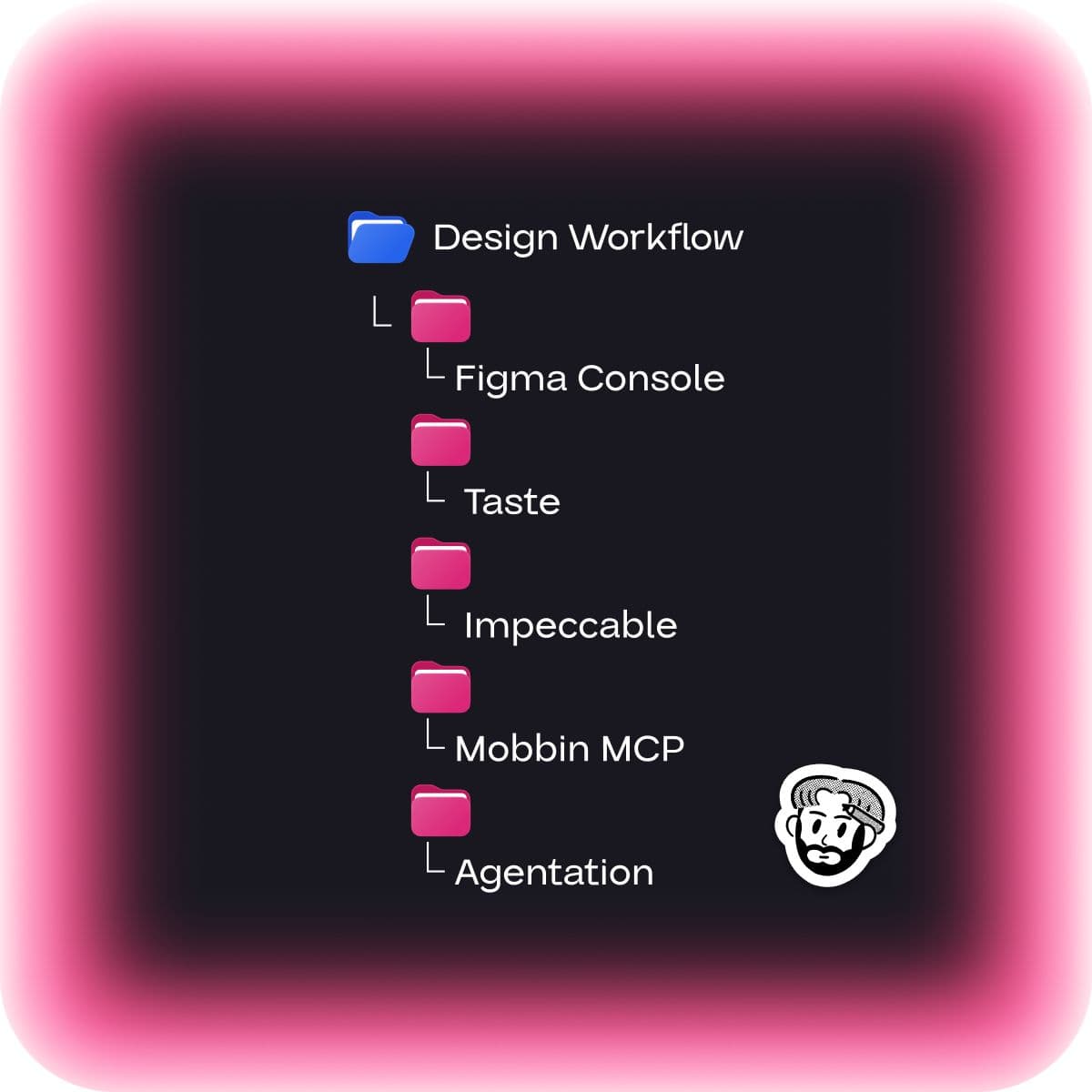
The short version: a stack of four things
If you don't feel like reading the whole thing, here's what it comes down to:
- Figma Console (Figma Bridge), a must-have. A plugin for Claude Code that reads your design really well and ports it into code. github.com/southleft/figma-console-mcp
- Skills, Taste and Impeccable. Taste is more about visual design. Impeccable is a big, powerful skill made up of many skills, with its own agents: it can check your design for accessibility, roast it, redesign it, and analyze it for AI slop and strip that out.
- Mobbin MCP, also super useful for finding patterns. mobbin.com/mcp
- Agentation, for the polish. agentation.com
These four things can help you perform better and faster. Now let's dig a little deeper.
A real example: a scheduling prototype for one of our event clients
Before you start designing, and I think everyone already does this, you can run a really solid research pass. Drop in call transcripts, the task itself, add your own context if you've worked on it before. In my case with the scheduling work I was already in context on what was going on.
The page already existed, I just needed to change a few things and add functionality. Claude parsed that page very fast through Figma Console. On top of that, a teammate had been working on the task, and it was a great collaboration case: she pushed everything to GitHub, deployed it on Vercel, and added me as a collaborator. So the two of us could work on one prototype for this big piece of functionality, anyone can keep making changes, and the client keeps the same link to review, with the context preserved.
Give Claude the user's role
Besides research there's another very useful move. I had Claude analyze the current state and asked it to step into the role of the actual user, in my case an exhibitor admin. So it could look at what's missing in the functionality, how it would be comfortable managing a team and seeing who performs best across the schedule. It gives you really good information that can spark ideas. (ExpoPlatform should probably have a dedicated skill for these roles, but for now I just talked it through with Claude by hand.)
That's how the bulk-action hypothesis was born
That's exactly what happened to me. After one offhand line, Claude said something to the effect that it's really hard for an exhibitor to go through team members and take actions for them, it's slow. It wasn't quite in that context, but I ran with it: what if we let them respond in bulk? That's how the hypothesis to add a bulk action for exhibitors came about, a feature the client really liked.
I didn't want it to be a mindless "confirm all" applied to everyone at once, I wanted something more convenient. So I described to Claude how I saw it: a button opens a pop-up where the exhibitor can pick all team members or a specific one, choose a role (one, several, or all roles), and see a preview of each action, that this team member sets super relevant for another. Claude generated a pop-up, still far from final, a rough skeleton.
Validating ideas in a local playground (Impeccable + Taste + Mobbin)
I didn't like the preview inside the pop-up. This is where Impeccable comes in, it does both redesign and design roasting. The first thing I did was ask Claude to create a playground inside the same project, under gitignore: it doesn't ship to production, doesn't go to GitHub, and lives only locally. I recommend doing this, it takes a real load off you as a designer.
I asked Claude to run both Taste and Impeccable and make two separate tabs, one with what came out of Taste, the other from Impeccable. It gave me a lot of variants. And the nice part is you can validate them fast: throw out the bad ones, and if you like something in one variant and something in another, you can combine them.
I also asked it to work together with Mobbin MCP, to look for patterns, in case someone has similar functionality. That helps a lot too and works great. So I'd recommend exactly this combo: Impeccable plus Mobbin MCP.
Polish with Agentation
Once I'd picked a variant and had a skeleton, it was time to polish. This is where Agentation comes in, a really handy tool. Right in the code on localhost you leave notes on each element, and it's much faster than writing things out and taking screenshots. I could have 10 edits in one go.
The best part, if you need to drop in some component, you can paste a Figma link right into the note. Agentation reads all the notes, knows the Figma context, and, if you have Figma Bridge on, rebuilds everything for you.
One more must-have: Superpowers
I recommend this one too, though I think pretty much everyone already uses it, it's a skill plugin from Claude Code itself, called Superpowers. Two skills matter most here: Brainstorming and Write Plans. And you run all of this in plan mode, not auto mode.
That's actually how I validated the bulk-action hypothesis. I called the Brainstorming skill, we brainstormed, I described what I had in mind; then I called Write Plans; and only then came the implementation. For anything where you're building or adding something new, Superpowers is a great skill, it lets you approach development like SDD (Spec-Driven Development), where it writes down all these plans and your actions as you go.
Additional: the docs I keep
In my main Claude config I set myself a rule: in every project, every session, I run a skill I made called Docs Update, at the end of a session, the end of the workday, or whenever I'm wrapping up. It creates and updates three files for me.
- WORKLOG (design tracking), tracks time by commits, so I can see how long a given decision took me. It also records the key decisions I made in each commit.
- DESIGN-SPEC, all my design specifications and the product-design decisions I made or changed. This really helps you not forget what you decided, and it's a big help later when you hand the task off.
- PROJECT.md, the general logic of the task or product.
These three files are your context. Claude Code reaches for them itself and remembers where you left off last session, which helps a lot.
I also hooked up Obsidian, which builds a really nice mind map for you. I'd genuinely recommend downloading Obsidian and connecting it, you can ask Claude to read up on it. I won't go deep on it here (I could do a separate article if you want), but on top of everything else it creates a daily note per project, "today I did this, this, and this." Claude checks it on every new session, or whenever it needs to recall some piece of information. So you don't have to remind it: it already knows "ah, here you did X, changed Y, and wired up this logic over there." You stop keeping everything in your head, at the end of the session the Docs Update skill just updates all these docs for you.
The takeaway
Thanks to this you can validate ideas and add your own hypotheses very fast. By tracked time, this prototype took me 8 hours, that's without the final Figma designs. Even with the tweaks, when I later changed the pop-up a bit visually, that was maybe another two hours.
So the combo of Figma Console + Impeccable + Mobbin MCP + Agentation, plus your prior research, so both you and Claude have the context, is a match. You get Claude on the same page with the context, and then you can very quickly put together a first prototype that actually looks decent and is fully working.
It's not really about the tools. It's about how short the distance now is between an idea and something real you can test. Shipping fast matters; everyone wants that. The real shift: testing an idea now costs almost as little as having it.